Photographers › Photo Restoration- Preservation- & Supplies
How to Choose a Photo Restoration Service You Can Trust With Originals
There is a moment in every portrait studio when a customer sets a photograph on the counter the way you would set down a sleeping baby. It is usually in a paper envelope that has gone soft with age. Inside is the only picture of a grandmother as a young woman, or a wedding group from 1948, or a father in uniform — torn, faded, water-stained, and utterly unrepeatable. Nobody can reshoot it. Nobody can reprint it from a negative that no longer exists. Whatever happens to that piece of paper next is, in a small and real sense, forever.
That is why choosing a restoration service is a different kind of decision from choosing most services. A bad haircut grows out. A bad restoration, done carelessly — or worse, a lost original — does not. This guide is about the questions that protect the original first and the picture second: how reputable services handle, scan, and return one-of-a-kind prints, what the work honestly costs, what restoration can and cannot do, and why the cheapest and fastest route — mailing your only copy somewhere, casually — is the one risk you should never take without safeguards.
First, understand what restoration actually is
Modern photo restoration is digital. A service scans your print, repairs the scan in software — removing dust and scratches, rebuilding torn or missing areas, correcting fading and colour shifts, sometimes colourising a black-and-white image — and delivers a restored file, and usually new prints made from it. Your original print is not painted, bleached, trimmed, or chemically treated. It is a reference, and it should come back to you exactly as it left.
That distinction matters twice over. First, it means a trustworthy service never needs to alter your original, and any service that proposes cutting, flattening by force, removing a print from a mount, or "treating" the paper itself is describing conservation work — a different trade, done by conservators, at conservator prices. Second, it means the quality of the whole job is set at the scanning stage. A restoration can only work with the detail the scan captured. Everything in this guide follows from those two facts.
The scan is the job: questions that reveal a careful service
Ask how the service scans, and listen for specifics. Archival guidance is consistent on the numbers: scan prints at 600 dpi for a long-term master — 300 dpi is the practical minimum for same-size reprints — and save the master as a lossless TIFF, with JPEG copies made from it for sharing and printing. Small originals you may want to enlarge, such as wallet prints, warrant higher resolution; slides and negatives need far more, typically 2,000 to 4,000 dpi, because the image area is so small.
A careful service will tell you, without prompting, that fragile prints go on a flatbed scanner — never through an auto-feed mechanism, which bends the print around rollers — and that prints stuck in albums, mounted on board, or too brittle to flatten are photographed on a copy stand instead of being pressed under a scanner lid. They will handle your prints the way the Library of Congress advises anyone to handle photographs: clean hands or nitrile gloves, by the edges, away from food and drink, with no tape, clips, or adhesive anywhere near them.
Then ask what you receive. The right answer is three things: your original, untouched; the unrestored master scan; and the restored file, at full resolution, in a format you keep. The unrestored master matters more than most customers realise. It is your insurance policy — proof of what the original looked like, and the starting point if you ever want a different restoration, a different crop, or a colourisation later. A service that delivers only a small, flattened, restored JPEG has kept the real asset and handed you a postcard of it.
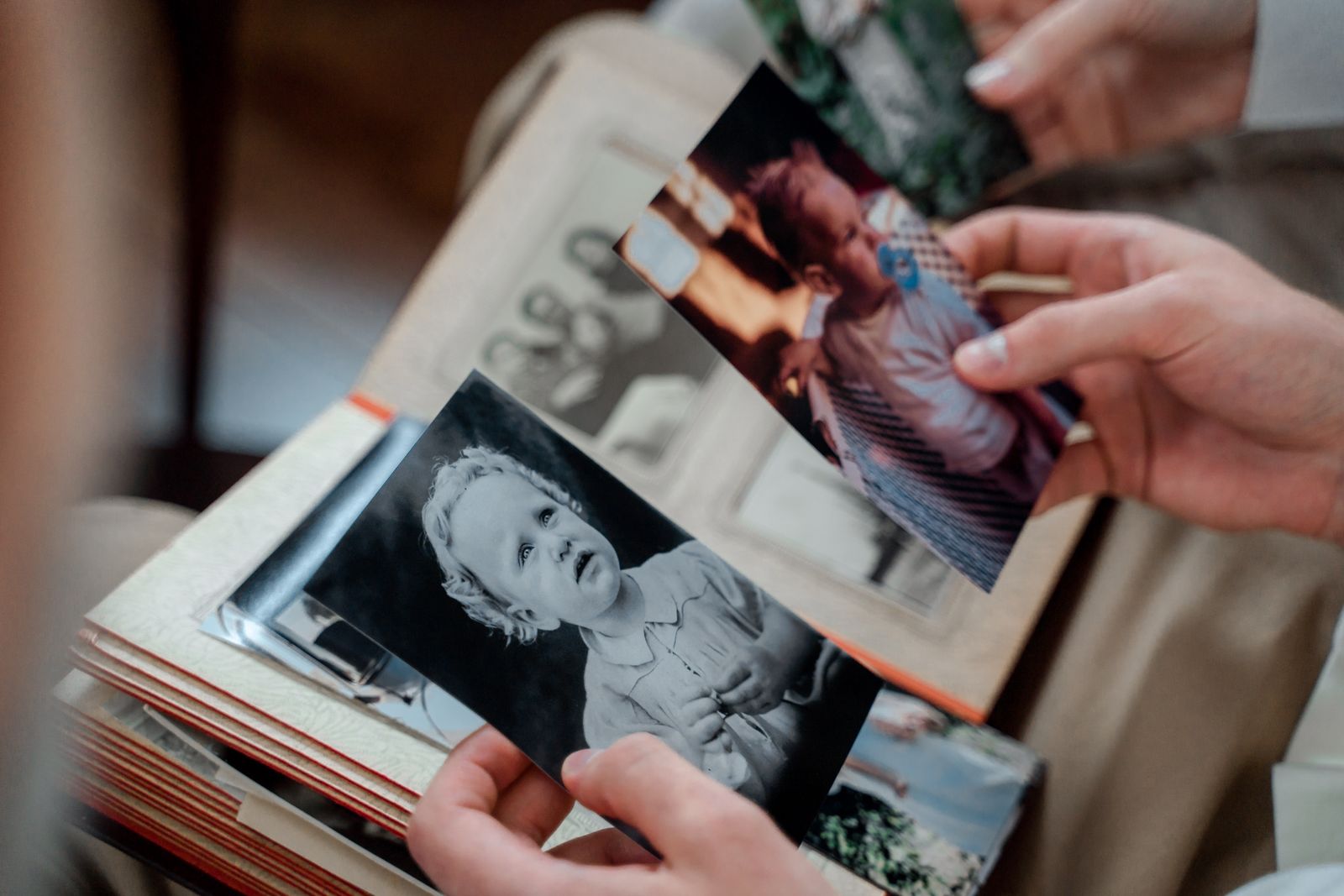
The original problem: to mail, or not to mail
Here is the decision this whole guide turns on. Many restoration services — including some excellent ones — work by post or courier. Many others are local studios you can walk into. Neither model is automatically safer. What matters is the chain of custody in either case.
If you hand an original over a counter, you should leave with a receipt that identifies the item — a description, a count of prints, ideally a photograph of what you handed over taken in front of you — and a named person and a date for its return. If you mail an original, the safeguards multiply, because the risks do:
- Never send the only copy of anything by ordinary, untracked post. Use a tracked, signed-for service, and keep the tracking record until the original is back in your hands.
- Package it as archives ship paper: the print in a protective sleeve, supported by rigid board on both sides so the parcel cannot bend, inside a waterproof layer, inside a sturdy outer box or board envelope marked not to bend.
- Photograph or scan everything before it leaves you. Even a careful phone photograph of each print, front and back, is a record of what existed and what condition it was in. Backs matter — handwriting there is often the only identification a photograph will ever have.
- Confirm the return route before you send. The same tracked, signed-for standard should apply on the way back, and the service should state who pays for it and what happens if a parcel goes missing.
- Ask about insurance and loss, in writing. What is the service's liability if an original is lost in their care or in transit? For a one-of-a-kind item, no payout replaces it — which is precisely why the honest services will discuss prevention at length and compensation briefly, and why some will tell you plainly: do not mail us that one; bring it in, or let us scan it while you wait.
That last answer, by the way, is a trust signal, not an inconvenience. A service willing to turn away the riskiest version of a job understands what it is holding.
There is also a middle path that suits the most precious items: pay a local studio or scanning service — one you can visit — to make the archival scan, and then send only the file to a restoration specialist anywhere in the world. The original never leaves your neighbourhood. The restorer gets a master TIFF that is, for restoration purposes, as good as the paper. For the single most irreplaceable prints in a family, this is the arrangement I recommended over my own counter, even when it meant the restoration fee went to someone else.
What the work costs, and why quotes vary so much
Restoration is priced per photo, by damage, and published prices cluster into recognisable tiers. At the high-volume end, ScanCafe lists basic work — small tears, marks, blemishes — from about $3 to $18 per photo, medium work such as torn images and simple removals at roughly $24 to $36, advanced work at about $48 to $60, and extreme restorations, with mold stains and complex reconstruction, from about $97 upward. Independent services show the same shape at somewhat higher levels: one published scale runs from $19 for a light refresh and $35 for a full restoration to $59 for premium heirloom work; another starts at $20 per image for light damage and rises through $30 and $40 tiers to $50 and up for severe damage or colourising. A traditional camera-store scale is higher still — around $40 for simple work, $60 for moderate, and $100 and up for complex — and Thumbtack's cost guide puts the average local job at about $78.
| Level of damage | What it usually means | Published price range |
|---|---|---|
| Light | Dust, scratches, mild fading, small marks away from faces | About $3–$25 per photo |
| Medium | Creases, stains, a tear, fading across a group portrait | About $24–$60 per photo |
| Advanced | Torn in two, missing corners, damage across faces | About $48–$100+ per photo |
| Extreme | Mold, severe water damage, large areas to rebuild, colourising | About $97 and up per photo |
Read those numbers as a map, not a quote. The variables that move a real price are consistent everywhere: how much of the picture is missing rather than merely dirty; whether the damage crosses faces and hands, which must be rebuilt convincingly rather than cloned from a background; how many people are in the frame; and whether you want colourisation, which is skilled interpretive work, not a filter. Any reputable service quotes a fixed price per photo after seeing the scan and before starting work — and tells you, free, when a photograph cannot be helped. ScanCafe states that policy plainly: a completely blurred photograph cannot be sharpened, and if a photo cannot be restored, you are not charged for it. That sentence is worth looking for, in those words or others, on any service you use.
What restoration cannot do
A trustworthy service will talk you out of at least one thing. Restoration repairs damage; it does not recover information that was never recorded. A face that is a soft blur in the original will be a soft blur, cleaned, in the restoration. Detail destroyed by mold, fading, or a tear is not retrieved — it is reconstructed, plausibly, by an artist or an algorithm. On a landscape or a dress, reconstruction is honest craft. On a person's face, heavy reconstruction crosses into invention: the restored great-grandfather may be, in part, a stranger who looks right.
Ask how a service handles faces, and what it uses. Services increasingly offer AI-assisted restoration, which is fast and inexpensive and can be startlingly good on mild damage — and which works by predicting what a face probably looked like. For a snapshot you want to share, that may be fine. For the only portrait of an ancestor, many families prefer slower hand work, with every change defensible against the original, and a proof to approve before printing. Neither answer is wrong. What is wrong is not knowing which one you bought. The related question — will a human review my proof? — separates services that sell restoration from services that sell processing.
Colourisation deserves the same clarity. As one working restorer puts it, any colourisation is an interpretation: the colours are chosen to look right, not recovered from the original. A good service will ask what you know — uniform colours, a remembered dress, a house's paint — and will label the result as colourised, so that a future generation does not mistake a 2026 guess for a 1948 fact.
Handling, storage, and return: the policy questions
Before any print leaves your hands, get answers — in writing, even if the writing is an email — to these:
- Where will my originals be, and who touches them? In-house, or sent onward to a lab, possibly overseas? Sending scans onward is normal; sending originals onward should be disclosed.
- How long will you have them? A stated turnaround for scanning and for return, separate from the restoration time.
- How are they stored while you have them? The archival standard is undemanding: cool — 70°F or below — dry, at roughly 30–50 percent relative humidity, out of light, in protective sleeves or folders. A service does not need a vault. It does need to not keep your grandmother on a sunny windowsill or in a damp stockroom.
- What do I get back, and in what? Originals returned in protective packaging at least as good as what you sent them in, plus your files — master scan and restored version — delivered in a way you can keep: download, drive, or disc, your choice.
- How long do you keep my files, and what do you do with them? Family photographs are personal data in picture form. A clear answer covers retention, whether images are used in the service's portfolio or marketing — only with your permission is the acceptable answer — and deletion on request.
A sensible order of work
Finally, sequence the project like a studio would. Sort the collection first, and restore in priority order: the prints that are deteriorating, the ones that exist only once, and the ones with living relatives who can still identify the faces — because identification is information you will want recorded before any colourisation or reconstruction begins. Scan everything you care about before you restore any of it; scanning is cheap insurance, restoration is the considered expense, and a complete set of masters means no original ever has to travel twice. Restore a test print first with any new service — a real photo, with real damage, at a real price — and judge the proof, the communication, and the return packaging before you commit the envelope that matters most.
This site's directory lists 1,063 businesses in its Photo Restoration, Preservation and Supplies subcategory, so you are not choosing between one mail-in service and nothing. There will be a studio within reach that can scan while you wait, a specialist across the country for the hard reconstruction, and several options in between. Choose the arrangement that keeps your originals safest, insist on the master scan, get the handling and return terms in writing, and approve a proof before anyone prints. Do those four things, and the photograph that came to you in a soft paper envelope will go on to the next generation in better shape than it reached you — which is, in the end, the whole point of handing it to anyone at all.
Sources
- ScanCafe, photo restoration services and pricing — basic work from about $3–$18, medium about $24–$36, advanced about $48–$60, extreme from about $97; un-restorable photos are quoted free and not charged. https://www.scancafe.com/services/photo-restoration
- RestoredPast, photo restoration pricing and 2026 cost guide — light refresh $19, full restoration $35, heirloom tier $59 per photo. https://www.restoredpast.com/pricing
- Vector Design US, photo restoration services and 2026 cost guide — tiers from $20 per image for light damage; Thumbtack average job cost of $78 cited there. https://www.vectordesign.us/photo-restoration-services/
- National Camera Exchange restoration tiers (simple $40, moderate $60, complex from $100 per image), via https://www.brandonwarrell.com/photo-restoration-cost
- Library of Congress, "Care, Handling, and Storage of Photographs" — handling by edges with clean hands or nitrile gloves; storage at 70°F or below and 30–50 percent relative humidity. https://www.loc.gov/preservation/care/photo.html
- U.S. National Archives, "Preserving Family Photos" — handling, housing, and display guidance for family photographs. https://www.archives.gov/publications/prologue/2015/fall/handling-photos.html
- Capture, "What Resolution Should You Scan Old Photos At?" — 300–600 dpi for prints; 2,000–4,000 dpi for slides and negatives. https://www.capture.com/blog/what-resolution-should-you-scan-old-photos-at
- Ricoh / PFU, "Digitizing Photos" — scan at 600 dpi for archiving, TIFF masters with JPEG copies for everyday use. https://www.pfu-us.ricoh.com/blog/photo-digitization
- Photo by cottonbro, https://www.pexels.com/photo/8848784/
- Photo by Pavel Danilyuk, https://www.pexels.com/photo/8057039/
More guides
- How to Find a Wedding Photographer: The Complete, Honest GuidePhotographers › Wedding Photographers
- How Much Does a Wedding Photographer Cost? Packages DecodedPhotographers › Wedding Photographers
- 10 Questions to Ask a Wedding Photographer Before You BookPhotographers › Wedding Photographers
- Wedding Photography Styles Explained: Documentary, Editorial, Traditional, Fine ArtPhotographers › Wedding Photographers
- Hiring a Wedding Photographer in California: Venue Light, Permits, and Price LevelsPhotographers › Wedding Photographers
- All Guides & ArticlesBrowse the full guides library