Photographers › Photo Retouching & Coloring
Photo Retouching vs. Restoration: Which Service Does Your Picture Need?
The photograph is face-down on my old studio counter in my memory: a wedding portrait from 1968, yellowed, creased across the groom's shoulder, one corner gone. The woman who brought it in asked for "retouching." The studio's retoucher, glancing at it, quoted restoration prices. The customer heard the number, blanched, and nearly walked out with the only picture of her parents' wedding — because nobody had explained that she was being quoted for rebuilding part of a photograph, not polishing one.
That confusion is the most common one in this corner of photography, and it costs people money in both directions. Customers pay restoration prices for work a retoucher could do in twenty minutes, and — worse — pay retouching prices for damage no retoucher's standard service will touch, then receive a slightly brighter version of a still-torn photograph. The two services use the same software and often the same people. What separates them is the question each one answers. Retouching answers: how should this good photograph look better? Restoration answers: how do we get back what time, water, and handling took away?
Here is how to tell which question your picture is asking, what each service should cost, and where the honest line falls between them.
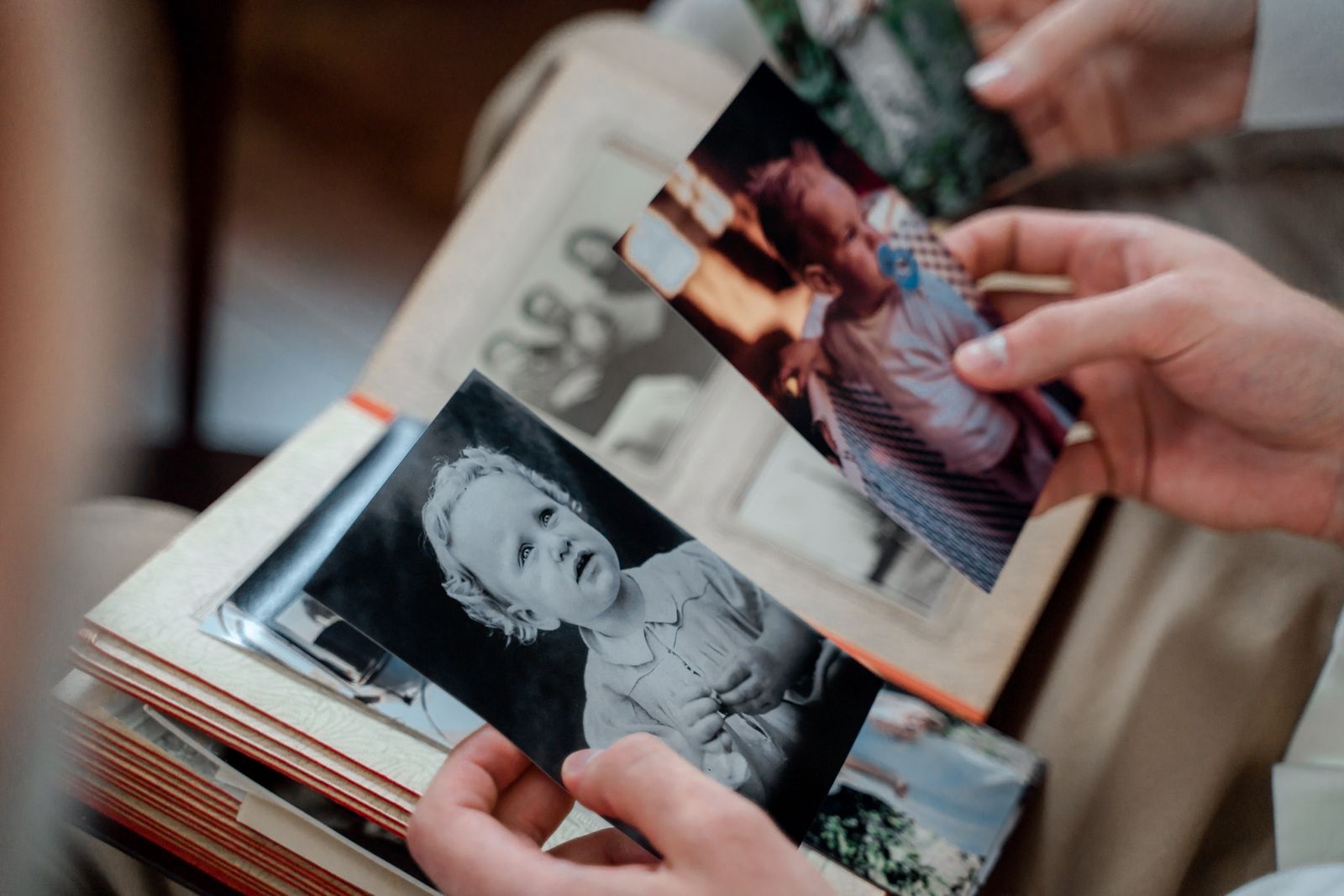
The one-sentence test
Look at your photograph and ask: is anything missing, broken, or eaten away — or is everything there, just not looking its best?
If everything is there — the faces complete, the edges intact, the image readable — but the color has drifted, the contrast has gone flat, a teenager has acne, the background is cluttered, or the exposure is off, you have a retouching job. Retouching improves a photograph that is fundamentally whole.
If something is gone — a torn-off corner, a crack running through a face, mold spots blooming across a dress, water stains clouding half the frame, fading so deep that a person has nearly vanished — you have a restoration job. Restoration repairs damage and, where necessary, reconstructs what was lost.
Freelance marketplaces and studio price lists draw the line in almost exactly these terms: restoration repairs deterioration — scratches, stains, tears, fading, missing areas — while retouching improves an image that is already generally usable, with skin work, blemish removal, lighting adjustments, and product cleanup. It is a useful rule that the trade itself uses, not a marketing distinction invented to upsell you.
What each service actually does
Retouching works on the photograph's surface qualities. A retoucher will even out skin while keeping its texture, remove a blemish or a stray hair, whiten teeth a believable amount, take a distraction out of a background, correct color and exposure, and sharpen a slightly soft frame. On a modern digital photograph — last year's family portrait, a headshot, a product shot — this is usually a matter of minutes to an hour of skilled work, and the prices show it: standard retouching tiers at editing services run from about $1.50 per image for light cleanup through roughly $2–$8 for typical portrait and product work.
Restoration works on the photograph's survival. A restorer starts from a high-resolution scan of your print and rebuilds it: cloning and painting new detail into cracks and missing corners, removing stains, mold spots, and tape residue, recovering faded contrast and tonal depth, and — only if you ask — adding plausible color to a black-and-white original. The original print is never altered; only the digital copy is restored, and you receive a file you can reprint. Services describe the work plainly: tears, creases, and cracks rebuilt by hand, faded contrast recovered, print-ready files delivered at the size you need.
Notice the overlap that causes the confusion: fading sits in both camps. Light fading — a print that has gone pale and yellow at the edges — is routine work that either service can handle, and AI tools handle it well too. Fading so severe that detail itself has disappeared is restoration, because somebody has to decide, pixel by pixel, what was probably there.
| What's wrong with the picture | Service you need | Typical route |
|---|---|---|
| Dull color, flat contrast, mild yellowing | Retouching (or an AI pass) | Editing service, from ~$1.50–$8/image |
| Blemishes, stray hair, cluttered background, teeth, glare on glasses | Retouching | Retoucher or editing service |
| Scratches, dust, hairline cracks, speckling | Light restoration | AI tool (cents to ~$1–$3/photo) or basic restoration tier (~$10–$30) |
| Torn corner, crease through a face, missing piece | Restoration | Professional restorer, ~$50–$150+ |
| Water stains, mold spots, tape and glue damage | Restoration | Professional restorer; stabilize the print first |
| Half a face or a whole person partly gone | Restoration, reconstruction level | Specialist restorer working from reference photos |
| The print itself is stuck to glass, flaking, or moldy | Neither — a conservator first | Photograph conservator for the object; restoration after a safe scan |
What each should cost — and why the gap is so wide
Retouching is priced like editing: a few dollars an image at volume, tens of dollars for careful portrait work. Restoration is priced like repair, and the published ranges reflect hours, not minutes.
Across current price guides and services, a professional restoration typically runs $30–$150 per photo, with basic scratch, dust, and color repair at the low end (about $10–$30), moderate restoration and colorization in the middle ($20–$75), and heavy reconstruction — large missing areas, faces rebuilt — at $50–$150 and beyond. Studios that price by artist rather than by damage start around $38 per photo; mail-in and local services commonly quote $50–$150 for standard work on lightly to moderately damaged prints. Turnaround follows the labor: roughly one to three days for straightforward professional work, one to three weeks for mail-in services, and longer for severe reconstruction.
Then there is the third option that has repriced the bottom of this market: AI restoration tools charge from well under a dollar to a few dollars per photo and finish in seconds to minutes. They are genuinely good at the pattern-based half of restoration — scratches, dust, fading, color casts, soft focus — because that work is pattern recognition. They are genuinely bad at the other half, and honest guides to these tools say so themselves: where detail is missing, an AI invents a plausible face rather than recovering yours. For a scratched snapshot, invention is invisible and harmless. For the only photograph of your grandmother, an invented grandmother is a different person.
The practical consequence, which several cost guides now state outright: restoring a shoebox of two hundred ordinary family photos with a professional, at $30–$150 each, runs into thousands of dollars and months of turnaround, while the same box through AI tools costs tens of dollars and an afternoon. Neither figure makes the other wrong. They are answers for different photographs.
The damage triage: sort before you spend
Do not send a whole box anywhere. Sit with the photographs — all of them — and sort them into three piles, because each pile has a different right answer.
Pile one: the many and the mildly damaged. Most of any family archive lives here: faded, scratched, dusty, a little yellow, a little soft. Scan them (600 dpi is the standard services ask for, or a sharp, flat, glare-free phone photograph in daylight) and run them through an AI tool or a basic restoration tier. This is the overwhelming majority of family photographs, and for this pile the cheap route is not a compromise.
Pile two: the few that matter most. The wedding portrait, the only image of a parent as a child, the photograph that will be framed, enlarged, and handed down. If these carry real damage — a tear, a stain, a missing corner, damage crossing a face — this is where a professional restorer earns the $50–$150. A person can rebuild a face using other photographs of the same person as reference, match the grain of a 1940s print by hand, and make judgment calls you can discuss and revise. Ask for that process explicitly: reference-based reconstruction, revision rounds included, print-ready file at your intended size.
Pile three: the physically endangered. Prints stuck to album pages or glass, flaking emulsion, active mold, photographs fused together by water. Stop. Neither retouching nor digital restoration is the first step, because the first step is getting a safe scan without destroying the original — and if the object itself matters, that is a photograph conservator's work, a different profession entirely. One urgent housekeeping rule from conservation guidance: wet prints should be separated and dried flat, face up, with air moving — mold can establish itself within about 48 hours — and never tape, wash, or scrub a damaged print in an attempt to help. For torn prints you do scan at home, lay the pieces on the scanner glass with edges pushed together and scan them as one image; the restorer would rather have your honest pieces than your tape.
Questions that protect you, whichever service you buy
- "Show me a before-and-after at the damage level of mine." Every service displays its best save. Ask for one that started like yours — a crack through a face is a different portfolio than a faded beach snapshot.
- "What exactly will you reconstruct, and from what reference?" For missing detail, the honest answers are "from this other photograph of her" or "this will be an interpretation." Both can be acceptable. Not knowing which you bought is not.
- "Is colorization included, and can I see the black-and-white restored version too?" Colorization is frequently an extra (one large service lists it at $19.95 on top of restoration). Always keep the restored monochrome file; color is an interpretation layered on it.
- "What file do I get, at what size?" You want a print-ready file at the largest size you might ever frame, not only a web-sized copy.
- "How do revisions work?" Reputable restorers include revision rounds and some offer money-back guarantees. Get the terms before the scan leaves your hands — and if you mail originals anywhere, tracked and insured, with the service's return policy in writing.
So which does your picture need?
Run the one-sentence test again. Everything present, merely imperfect: retouching, a few dollars, a day or two. Something missing or eaten away: restoration — AI for the scratches-and-fading pile, a professional's hands for the heirlooms, a conservator first for anything physically falling apart. The directory behind this site lists 3,152 businesses under photo retouching and coloring and another 1,063 under photo restoration and preservation supplies and services — the two trades sit side by side in the listings because they sit side by side in real studios, often at the same desk. The skill is not finding them. It is walking in knowing which job you are actually asking for — and refusing, politely, to pay reconstruction prices for a polish, or polish prices for a rescue.
Sources
- Relively, "How Much Does Photo Restoration Cost? (2026 Guide)" — professional retoucher roughly $30–$150 per photo, turnaround days to weeks; AI restoration a few dollars or less per photo; repair vs. reconstruction distinction. https://www.re-lively.com/blog/photo-restoration-cost
- Toybox AI, "Photo Restoration Services vs AI: Cost Compared (2026)" — online services $30–$60 at most tiers, up to $148 for a senior artist, colorizing extra at $19.95; delivery 1 to 20 days; a restoration service fixes the image, not the object — moldy, flaking or stuck prints belong with a conservator. https://toyboxai.io/blog/photo-restoration-services-vs-ai/
- Osdire, freelance photo restoration and archiving guide — basic scratch/dust/color repair about $10–$30, moderate restoration/colorization $20–$75, heavy reconstruction $50–$150+; restoration vs. retouching definitions. https://osdire.com/categories/photography/photo-editing/photo-restoration-archiving
- Vector Design US, photo restoration services — restoration from $20 per image, hand-painted in Photoshop, 24-hour standard delivery; 600 dpi scan guidance; tears, mold spots and fading rebuilt by hand. https://www.vectordesign.us/photo-restoration-services/
- MemoryCherish, water-damaged photo restoration — from $38 per photo, most restorations about 1 to 3 days, roughly four hours of hand work per photo. https://memorycherish.com/water-damaged-photo-restoration/
- Colorate, "How to Restore Damaged Photos" — stabilize wet prints and dry them flat (mold can grow within 48 hours, per the Northeast Document Conservation Center); scan torn pieces together as one image; conservator for the physical print. https://www.colorate.app/blog/how-to-restore-damaged-photos.html
Photographs
- photo by cottonbro studio, https://www.pexels.com/photo/person-holding-baby-pictures-8848784/
- photo by Jessika Arraes, https://www.pexels.com/photo/a-person-looking-at-the-photo-album-14013483/
More guides
- How to Find a Wedding Photographer: The Complete, Honest GuidePhotographers › Wedding Photographers
- How Much Does a Wedding Photographer Cost? Packages DecodedPhotographers › Wedding Photographers
- 10 Questions to Ask a Wedding Photographer Before You BookPhotographers › Wedding Photographers
- Wedding Photography Styles Explained: Documentary, Editorial, Traditional, Fine ArtPhotographers › Wedding Photographers
- Hiring a Wedding Photographer in California: Venue Light, Permits, and Price LevelsPhotographers › Wedding Photographers
- All Guides & ArticlesBrowse the full guides library